



- An exchange account with identity verification done (the app walks you through it; not covered here)
- a in your own name USD foreign-currency account that can send international wires (at the branch or online)
- Your English name (must match your passport and exchange registration)
How to Wire USD to an Exchange: Binance and OKX Explained
If you already have a USD foreign-currency account, you can send USD straight to the exchange by international wire, without converting to TWD and buying USDT first. Note: availability and fees depend on your country and bank.
⚠️ Fees and rates may change at any time. Go by each platform's official announcements and what the app shows, and check for yourself.
Checklist
When a wire transfer makes sense
- Good fit: Larger amounts, and you already hold USD.
- Not a good fit: Small amounts. Bank wire fees are usually flat, so small wires aren't worth it — use TWD to USDT guide is cheaper.
Binance: USD wire deposit
The following is based on Binance's official help (no screenshots for this part):
- Log in to Binance, tap “Deposit”, and choose USD, then choose “Bank transfer”.
- First-time users need to activate a BPay account (a payment service partnered with Binance); read the terms and tap Activate.
- Enter the amount to wire and check the fee shown on screen (the screen prevails).
- The screen gives you the receiving bank details and a Reference code.
- Wire from your bank and put the reference code in the “Memo / Remarks” field.
- After wiring, go back to Binance, tap “I have transferred”, and wait for it to arrive.
OKX: USD wire deposit
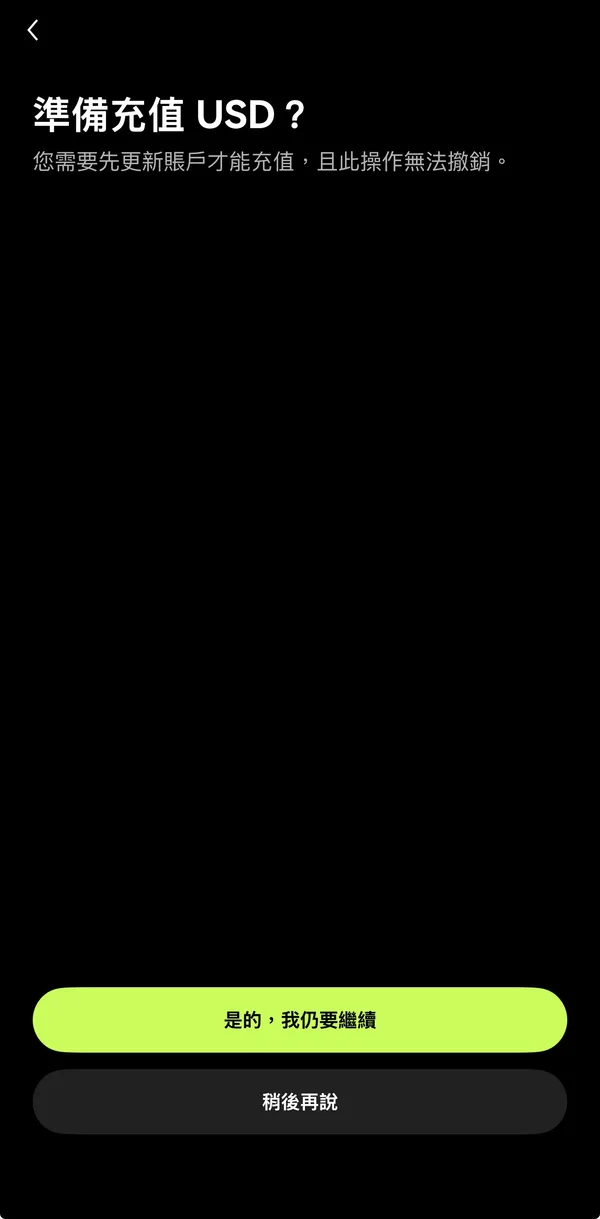
- Open the OKX app, tap “Deposit”, and choose USD. The first time, it will remind you to update your account first.
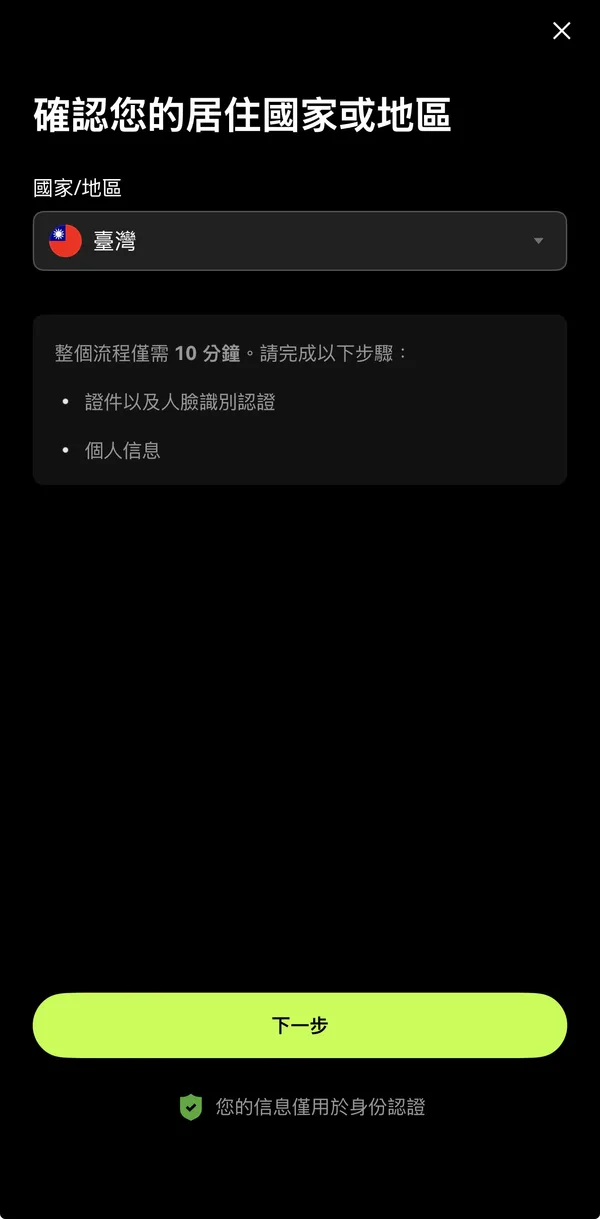
- Confirm your country or region of residence, then fill in the details on screen (about 10 minutes).
- Choose “International wire”, tap Next, and the screen shows the receiving bank details and Reference ID (no screenshot for this step).
- Wire from your bank and put the Reference ID in the “Memo / Remarks / Special instructions” field.
- Before submitting, make sure the amount is within your deposit limit.
⚠️ Fees and rates may change at any time. Go by each platform's official announcements and what the app shows, and check for yourself.
What to fill in at the bank
- Beneficiary name, account number, SWIFT code, bank address: Copy it exactly as shown on the exchange's screen.
- Memo field: Enter the reference code the exchange gives you — only that, nothing else.
- Fee bearer: The bank will ask who pays the fees. Intermediary banks may deduct more, so the amount received may be less than what you sent.
- Remittance purpose: Choose whatever your bank requires; if unsure, ask the teller.
Suggested banks
If you don't have a USD account that can send wires yet, take a look at these two digital banks — you can open an account and send remittances entirely in the app. All details below come from the banks' official sites; anything we couldn't find says “check with the bank”.
| Item | LINE Bank | Next Bank |
|---|---|---|
| Outgoing USD (SWIFT) | Yes. Currently USD outward remittances only | Yes |
| Incoming USD | Yes | Yes |
| Outgoing wire fee | To the US, NT$150 per transfer (normally NT$600); other supported countries NT$150 per transfer, plus NT$300 for “full amount to beneficiary”. The official site says this offer runs until 2026/12/31 | USD to the US USD 5 per transfer, domestic USD 8, other countries USD 15 (standard USD 20). Promotion period 2026/10/1 – 2026/12/31 |
| Incoming wire fee | Check with the bank | USD 1.5 per transfer (standard USD 12), same promotion period |
| Remittance limits | Basic account USD 300 per transfer; upgraded account USD 1,500 per transfer; up to USD 100,000 per transfer after setting up a designated account. Minimum USD 100 per outward USD remittance | Check with the bank |
| Remittance hours | 24 hours, including holidays | Official announcement: 24-hour FX service launched (exchange, outward and inward remittances) |
| Intermediary bank fees | Transfers to the US arrive in full; without full-amount delivery, intermediary banks may deduct fees from the amount | Promotional rate covers only Next Bank's own fee, not intermediary or receiving bank fees |
Source: LINE Bank: USD outward remittance guide; Next Bank: remittance fee offer (202610), Next Bank: 24-hour FX service announcement (all official sites, checked by us 2026/10/27).
⚠️ Fees and rates may change at any time. Go by each platform's official announcements and what the app shows, and check for yourself.
Wire fee comparison
The 〔〕 after each cell is the source number; all checked on 2026/10/27. Anything not found on official pages says “check with the provider”.
| Exchanges | USD wire deposit fee | USD wire withdrawal fee | Minimum amount | Arrival time |
|---|---|---|---|---|
| Binance | Free〔1〕 | Check with the provider | Check with the provider | 1–5 business days〔1〕 |
| OKX | Depends on region; shown on the “Deposit preview” screen before you submit〔2〕 | Check with the provider | Shown on the app's deposit page, depending on deposit method〔2〕 | Some bank transfers take up to 5 business days〔2〕 |
| Bank | Outgoing USD fee | Intermediary / full amount received | Incoming USD fee | Cable charge |
|---|---|---|---|---|
| LINE Bank | To the US, NT$150 per transfer; other supported countries NT$150 per transfer (offer until 2026/12/31)〔3〕 | Transfers to the US arrive in full; for other countries, full-amount delivery costs an extra NT$300〔3〕 | Check with the provider | Check with the provider |
| Next Bank | USD to the US USD 5, domestic USD 8, other countries USD 15 (promo 2026/10/1 – 12/31)〔4〕 | Promotional rate excludes intermediary and receiving bank fees〔4〕 | USD 1.5 (promotional rate)〔4〕 | Included in the outward remittance fee (official site says “fee + cable charge”)〔4〕 |
Source: 〔1〕Binance SWIFT deposit guide; 〔2〕OKX deposit limits, fees and timing (official page updated 2026-08-05);〔3〕LINE Bank USD outward remittance guide; 〔4〕Next Bank remittance fee offer (202610). All checked on 2026/10/27.
⚠️ Fees and rates may change at any time. Go by each platform's official announcements and what the app shows, and check for yourself.
Fee overview
| Exchanges | Item | Exchange fees | Arrival time |
|---|---|---|---|
| Binance | USD bank transfer deposit | Free | 1–5 business days |
| Binance | USD card deposit | 3.6%–4.1% | — |
| OKX | USD international wire deposit | Depends on region; see the app's deposit preview | Depends on the bank |
The exchange charging nothing doesn't mean the whole trip costs nothing: your bank and intermediary banks may charge their own wire fees. Sources: Binance: how to deposit fiat via SWIFT bank transfer (official page updated 2026-06-24, checked by us 2026/10/27); OKX: how to deposit USD by international wire, OKX: deposit fees and timing (checked 2026/10/27).
⚠️ Fees and rates may change at any time. Go by each platform's official announcements and what the app shows, and check for yourself.
FAQ
Q: It's been days and the wire hasn't arrived?
Binance's official help says 1–5 business days. First check that the memo code was filled in and the names match, then contact exchange support with your bank's remittance slip.
Q: Can I wire straight from a TWD account?
Both of these accept USD. If you wire from a TWD account, the bank converts it first, and the rate may not be favorable.
Q: If a deposit fails, is my money lost?
Binance's official help: failed deposits are returned to the original account, but bank fees usually aren't refunded.
Risk warning
- This page is a how-to guide, not investment advice.
- Overseas exchanges aren't regulated by Taiwan's Financial Supervisory Commission; assess the risks yourself before keeping large sums on an exchange.
- Exchanges' wire services and fees change often; go by the official pages and what the app shows.