




- A Bitfinex account with identity verification and two-factor authentication done (the app walks you through it)
- some USDt (USDT). If you don't have any yet, see TWD to USDT guide
- A computer or phone browser: API keys can only be created on the Bitfinex Web version Action
- FULY account
Bitfinex Lending: Earn Interest on USD Automatically with FULY
Bitfinex lets you lend idle USD to other users and earn interest. Placing offers by hand means judging rates yourself, which is tedious; FULY is a lending bot that places offers for you automatically. These steps follow FULY Academy's official guide, rewritten in our own words.
⚠️ Fees and rates may change at any time. Go by each platform's official announcements and what the app shows, and check for yourself.
Checklist
What lending is
Some Bitfinex traders want to borrow money to trade. You put USD in your “Funding wallet” and offer it to them, and they pay you interest. The whole flow is:
Deposit USDt › Convert to USD › Move to funding wallet › Create API key › FULY places offers automatically
① Deposit USDt
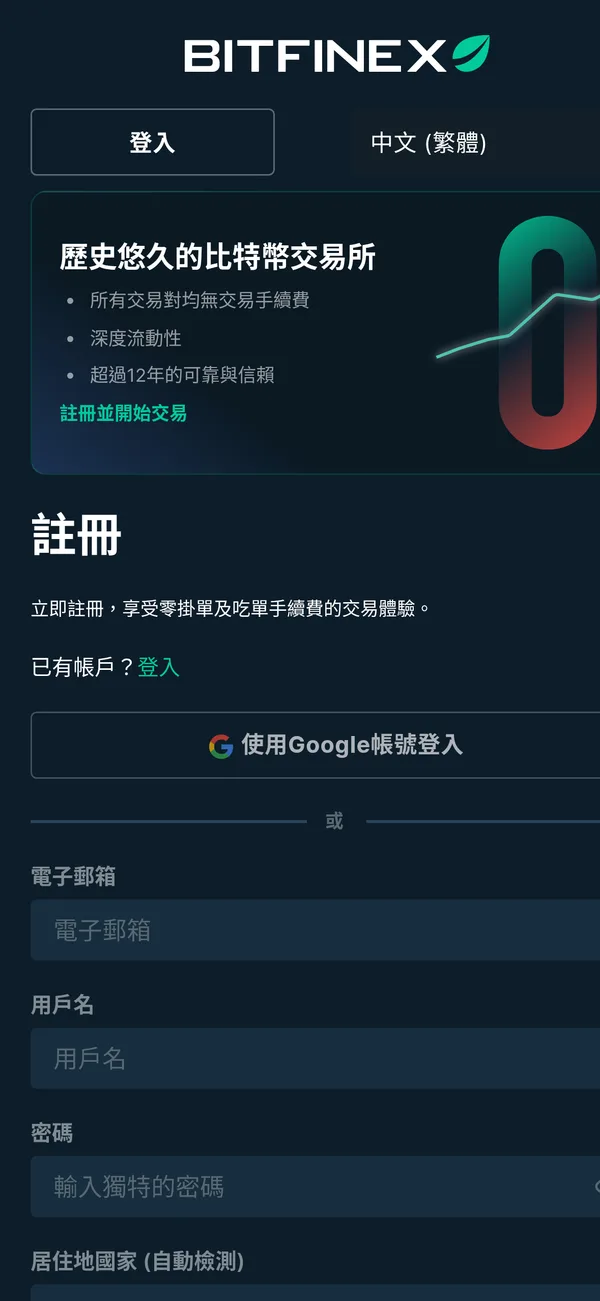
- Open the Bitfinex app and tap “Wallet” at the bottom.
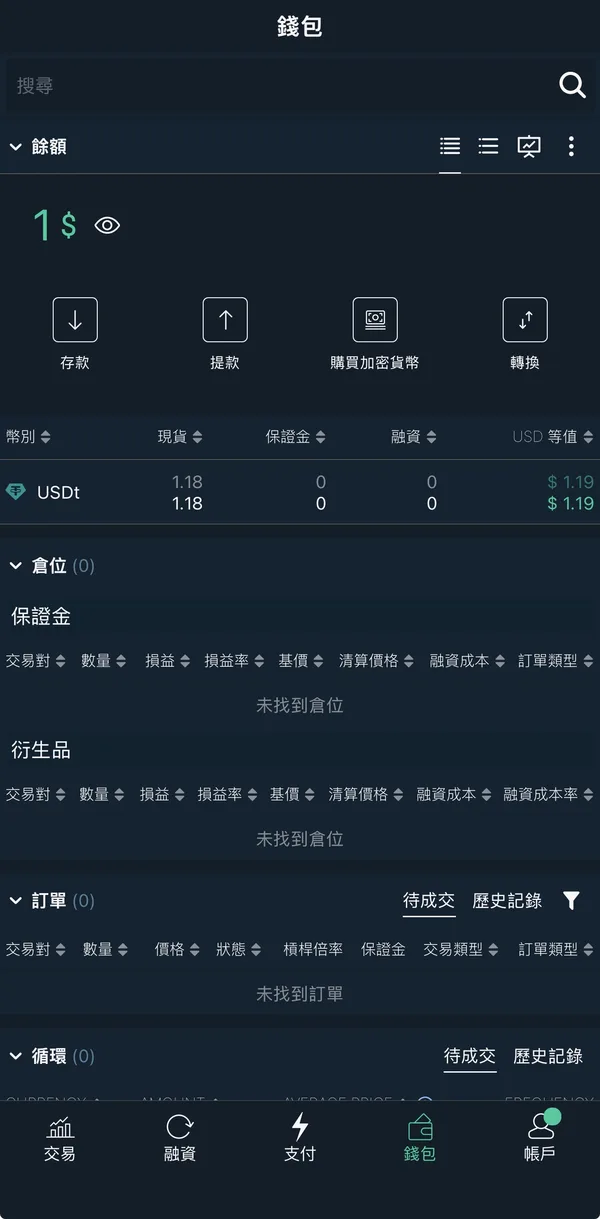
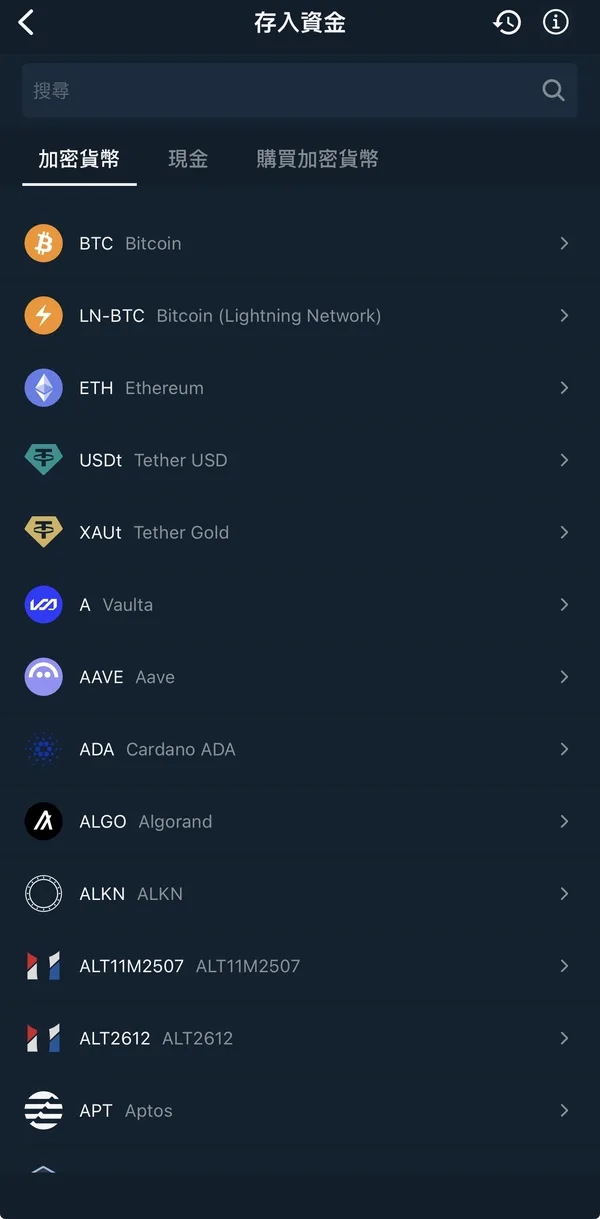
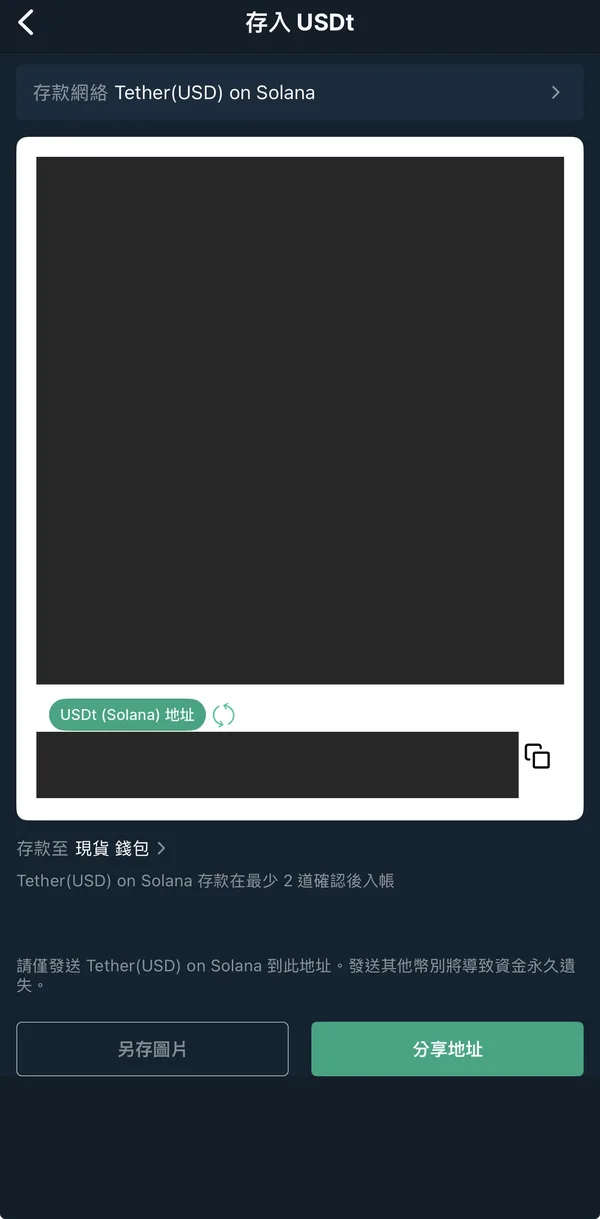
- Tap “Deposit funds” and choose USDt from the crypto list.
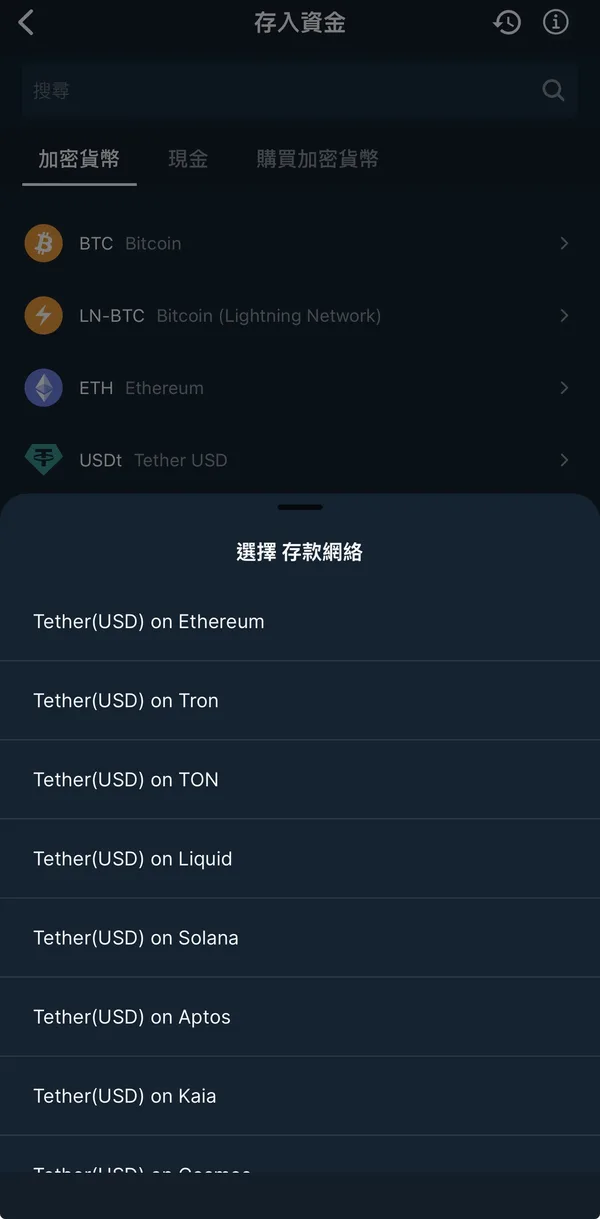
- choose the deposit network, must match the network you choose on the sending side.
- Copy the deposit address and send USDT to it from MAX or another exchange.
⚠️ Fees and rates may change at any time. Go by each platform's official announcements and what the app shows, and check for yourself.
② Convert USDt to USD
- In the app, tap “Trade” at the bottom and find USDt/USD trading pair.
- Scroll down to the order panel and choose “Exchange” and “Limit order”.
- Enter the price you want to sell at (can be slightly above the current price) and the amount, then tap “Exchange sell”.
- Once filled, the USD appears in your exchange wallet.
③ Move USD to the funding wallet
- In the app, tap “Wallet” at the bottom, then tap the amount in the “Convert” column of the USD row.
- Tap “Transfer USD”.
- Set source to “Exchange” and destination to “Funding”, enter the amount, and tap “Transfer”.
- Back in the wallet, check that USD's “Funding” balance went up and “Exchange” went down.
④ Create an API key (web)
An API key is like a key that can “only do specific things”: it lets FULY place lending offers for you, but Cannot trade, cannot withdraw.
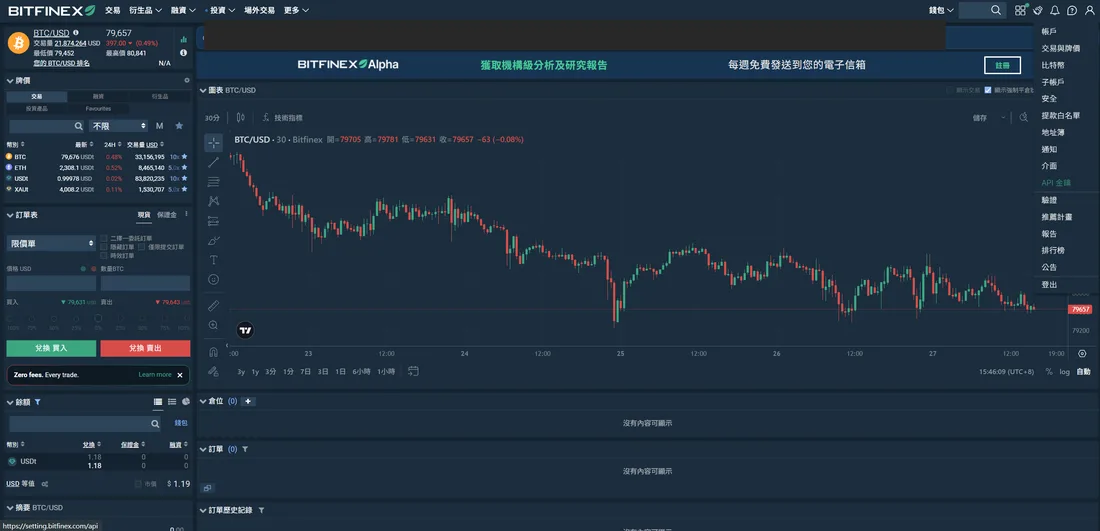
- Log in to bitfinex.com in a browser, click the profile icon at the top right, and choose “API Keys”.
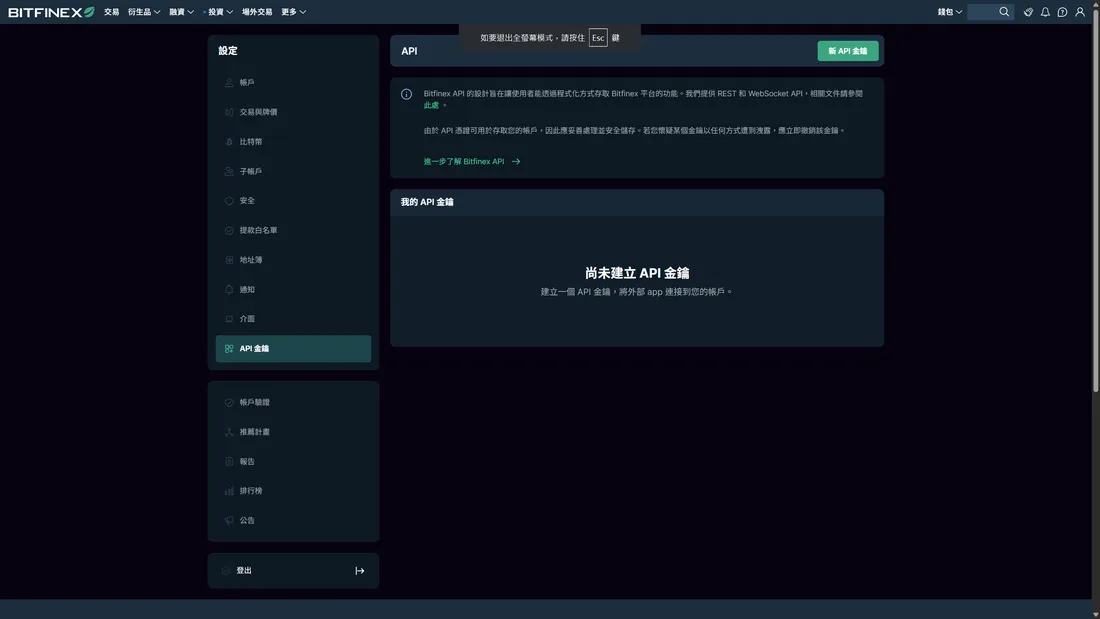
- Click “Create new API key”.
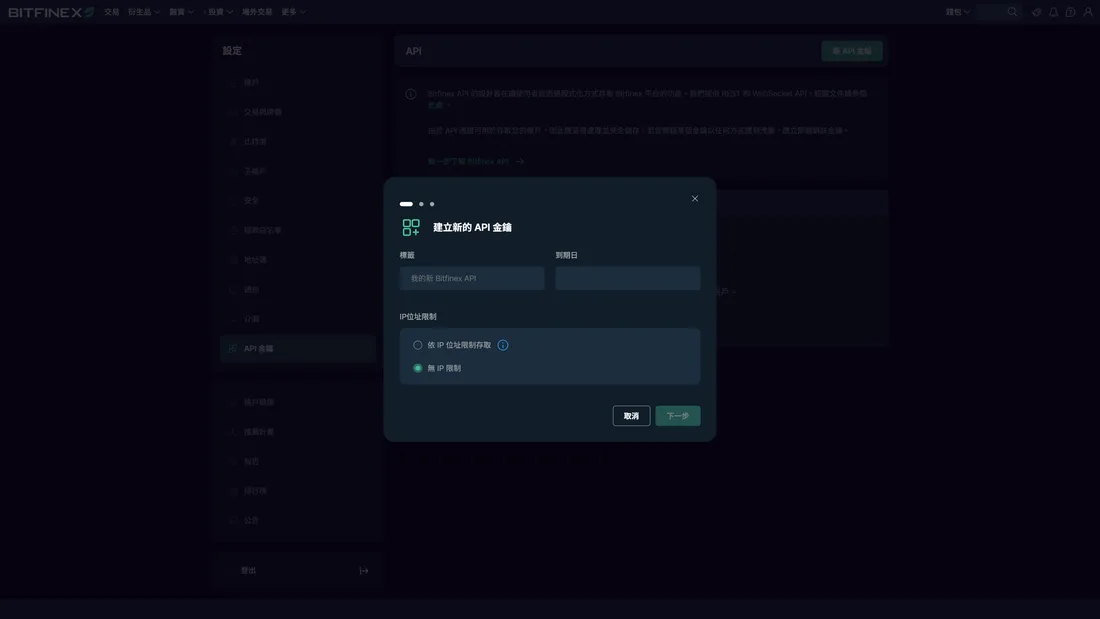
- Give it a recognizable name (e.g. FULY) and tap Next.
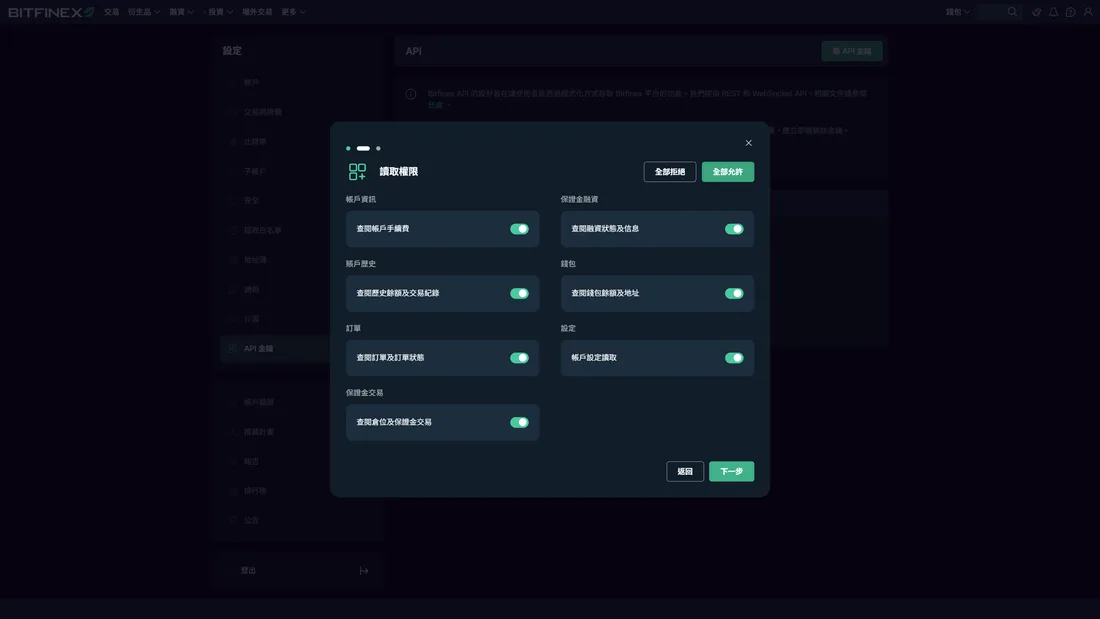
- Read permissions: fine to enable all — read access can only view, it can't touch your money.
- Write permissions: enable only “Offer, cancel and close funding” and turn everything else off (especially trading and withdrawals).
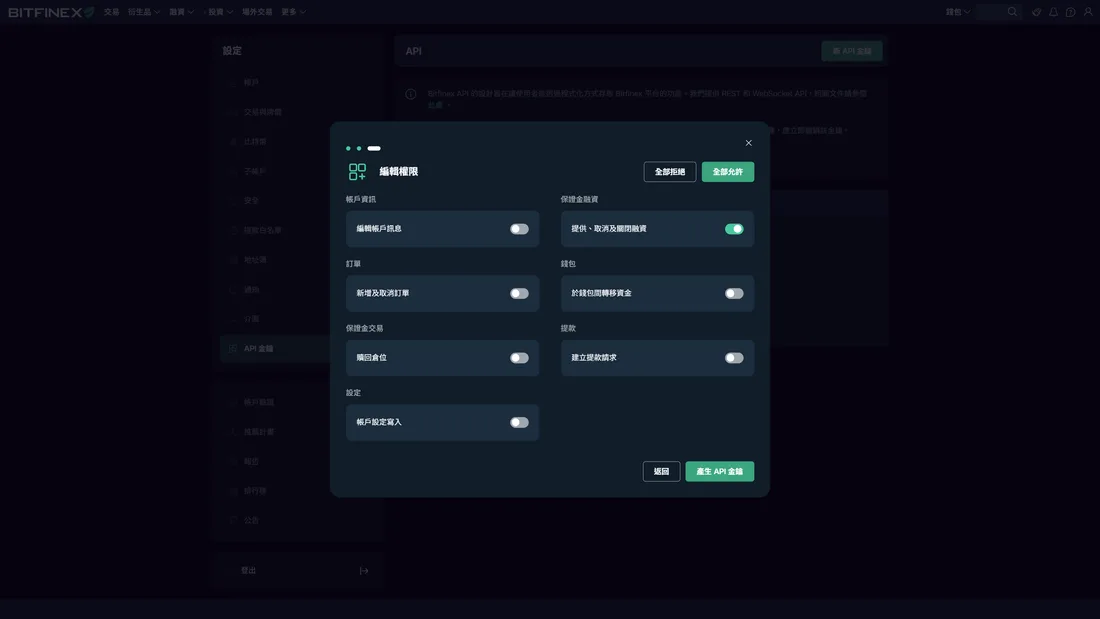
- Tap “Create API key”, complete two-factor authentication, and click the confirmation email. The screen shows the “API key” and “API key secret” — copy them first.
⑤ Set up FULY
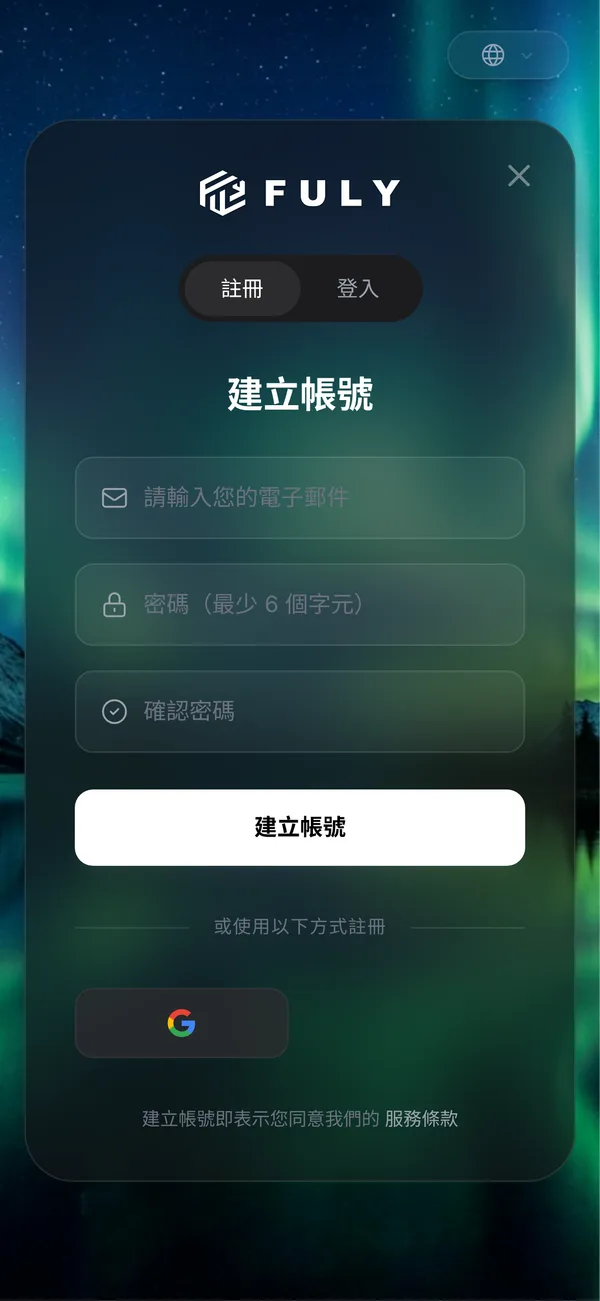
- Log in to FULY and click “Lending bot settings”.
- Click “Add Bitfinex settings” and paste the API key and API key secret.
- Turn on the bot and set the lending currency to USD.
- Set “Amount to keep (not lent)” to 0 (to keep part of it unlent, enter the amount to keep).
- Set lending mode to “Fully automated lending”, then tap Save.
⑥ Confirm the offers are placed
In FULY, go to “Lending bot / Live report” on the left and wait for 5–30 minutes. Once “Offer details” appears, the setup worked.
No offers placed? Checklist
- Is the money still in the exchange wallet, not moved to Funding wallet?
- Did you pick the wrong lending currency in FULY (e.g. your funds are USD but you chose USDt)?
- Did you accidentally enter a number in “Amount to keep (not lent)”?
- Is the bot switched on?
- Did you also turn on Bitfinex's own auto-lending or another lending bot? They'll compete with each other.
- Is the API key's “Offer, cancel and close funding” permission enabled?
Fees
| Item | Fees |
|---|---|
| Bitfinex spot trading (maker / taker) | 0 |
| Bitfinex crypto and stablecoin deposits | Free |
| Bitfinex lending: a cut of the interest you earn | 15% |
| Bitfinex lending: fee when using “hidden offers” | 18% |
| Manual recovery of coins deposited incorrectly (missing tag, memo, etc.) | 150 USD |
Source: Bitfinex Fees (checked 2026/10/27). FULY's pricing is per FULY's official site; a FULY Academy article (2026-03-17) mentions new sign-ups get a 7 -day free trial.
⚠️ Fees and rates may change at any time. Go by each platform's official announcements and what the app shows, and check for yourself.
FAQ
Q: Is the interest rate fixed?
No. The rate moves with market demand for borrowing and can be very low when the market is quiet.
Q: Can I get my money back anytime?
Money already lent returns to the funding wallet when the loan ends or is repaid; offers not yet taken can be cancelled.
Q: Can FULY withdraw my money?
As long as the API key is set up as on this page (no trading or withdrawal permissions), FULY can only place lending offers for you.
Q: Can I create the API key in the app?
No, you need the web version.
Risk warning
- This page is a how-to guide, not investment advice. Bitfinex and FULY both No principal protection, no guaranteed rate.
- Keeping money on an exchange means taking on the risk of the exchange itself running into trouble.
- USD held on overseas exchanges isn't regulated by Taiwan's FSC and has no deposit insurance.
- A leaked API key is the biggest human risk — always set permissions exactly as shown on this page.
Steps based on: FULY Academy Bitfinex lending guide (part 5), (part 6) (checked 2026/10/27).